

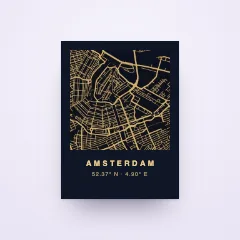






Shoppers design it live, right in your store
Step by step, with the finished piece on screen the whole way. A photo, a style, a name, a frame: every choice lands on the preview the moment they make it.
- 30-day free trial
- No code needed
- Phone, tablet and desktop



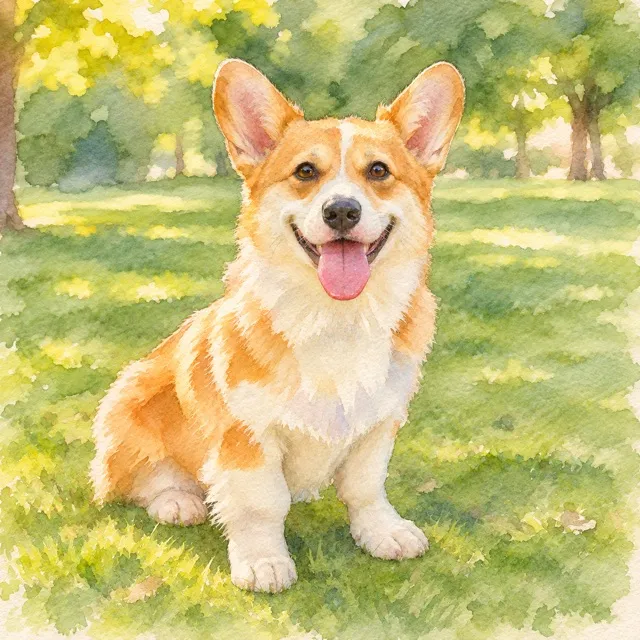

Step 1 of 4Photo
Upload a clear photo of your pet, looking at the camera.
Your photo stays in your browser.
Step 2 of 4Style
Pick how we paint them, and the colour behind them.
In your store, AI paints the customer's own photo in the style they pick. Here we show yours as it is.
Background ·Step 3 of 4Name
Their name goes under the portrait.
Please fill in: Pet's name
FontStep 4 of 4Finish
Choose a size, then add a frame if you like.
SizeFrameExtrasThree ways to guide. Or simply one page.
Some products tell a little story: a photo, then a style, then a name. Others are one line of text. Pick the layout that fits each product, and change it whenever you like.
- Every step gets your own name, icon and a short explanation
- Going back is always allowed, going ahead waits until the step is done
- The browser's Back button walks back through the steps
Step 1 of 4Photo
Upload a clear photo of your pet, looking at the camera.
Your photo stays in your browser.
Step 2 of 4Style
Pick how we paint them, and the colour behind them.
In your store, AI paints the customer's own photo in the style they pick. Here we show yours as it is.
Background ·Step 3 of 4Name
Their name goes under the portrait.
Please fill in: Pet's name
FontStep 4 of 4Finish
Choose a size, then add a frame if you like.
SizeFrameExtrasStepper. One step in view at a time, with Back and Continue where add to cart usually sits. Calm and focused, for products with a few decisions.
Tabs. Every step in one tab strip, so shoppers see the whole journey and jump to the step they want. Moving ahead still checks that nothing is missing.
Accordion. One section opens at a time. Finished sections fold into a short summary with an Edit link, so every answer stays readable at a glance.
One page. Every option at once, on one page. Made for quick products like a name on a mug or a photo print.
Progress, shown your way.
Show how far shoppers are with numbered dots, with a slim bar that keeps a summary of every finished step, or with nothing but a button that says what comes next.
- Accordion headers show numbers or icons, with an optional step label
- Tabs can step aside on wide screens and leave just the Continue button
- On phones, a thin progress bar keeps everyone oriented
Step 1 of 4Photo
Upload a clear photo of your pet, looking at the camera.
Your photo stays in your browser.
Step 2 of 4Style
Pick how we paint them, and the colour behind them.
In your store, AI paints the customer's own photo in the style they pick. Here we show yours as it is.
Background ·Step 3 of 4Name
Their name goes under the portrait.
Please fill in: Pet's name
FontStep 4 of 4Finish
Choose a size, then add a frame if you like.
SizeFrameExtrasDots. Numbered steps with their names. A finished step gets a check and stays one tap away.
Bar. A slim progress bar with the step count, and a row for every finished step with what they chose and an Edit link.
In the button. Nothing above the fields. The Continue button carries the progress and names the next step.
Made for thumbs. Built for the phone in their hand.
On a phone, the accordion can stay an accordion or become a tab strip with one step in view and Back and Continue right below it. Touch targets are sized for thumbs, and the preview stays close.
- Choose accordion or tab strip for phones, apart from desktop
- The stepper folds into a compact version of itself
- With tabs, the preview can shrink as they scroll or stay full size
Step 1 of 4Photo
Upload a clear photo of your pet, looking at the camera.
Your photo stays in your browser.
Step 2 of 4Style
Pick how we paint them, and the colour behind them.
In your store, AI paints the customer's own photo in the style they pick. Here we show yours as it is.
Background ·Step 3 of 4Name
Their name goes under the portrait.
Please fill in: Pet's name
FontStep 4 of 4Finish
Choose a size, then add a frame if you like.
SizeFrameExtrasStep 1 of 4Photo
Upload a clear photo of your pet, looking at the camera.
Your photo stays in your browser.
Step 2 of 4Style
Pick how we paint them, and the colour behind them.
In your store, AI paints the customer's own photo in the style they pick. Here we show yours as it is.
Background ·Step 3 of 4Name
Their name goes under the portrait.
Please fill in: Pet's name
FontStep 4 of 4Finish
Choose a size, then add a frame if you like.
SizeFrameExtrasThe price follows every choice. No surprise at checkout.
The running total sits right in the Continue button, so a bigger size or a gift wrap never surprises anyone later. Prefer a quieter look? Show it on the last step only, or leave it out.
- The total counts the size, priced choices and paid extras
- Extras like gift wrap show their own price beside them
- A fold-out list shows what each choice adds
Step 1 of 4Photo
Upload a clear photo of your pet, looking at the camera.
Your photo stays in your browser.
Step 2 of 4Style
Pick how we paint them, and the colour behind them.
In your store, AI paints the customer's own photo in the style they pick. Here we show yours as it is.
Background ·Step 3 of 4Name
Their name goes under the portrait.
Please fill in: Pet's name
FontStep 4 of 4Finish
Choose a size, then add a frame if you like.
SizeFrameExtrasIn Continue. The total rides along on every step, inside Continue.
Last step. The total appears once, with add to cart on the last step.
Hidden. No prices inside the steps, and none on add to cart either.
Nothing forgotten. Add to cart knows what is missing.
If a shopper skips a required field and taps Add to cart, the customizer opens the step that still needs an answer, puts the cursor in the field and says what to fill in. In every layout, one page included.
- Every missing field gets its own clear message
- Character limits come with a counter as shoppers get close
- Text that will not fit its space is flagged before anyone pays
Try it: the name is empty. Press Add to cart.
Step 1 of 4Photo
Upload a clear photo of your pet, looking at the camera.
Your photo stays in your browser.
Step 2 of 4Style
Pick how we paint them, and the colour behind them.
In your store, AI paints the customer's own photo in the style they pick. Here we show yours as it is.
Background ·Step 3 of 4Name
Their name goes under the portrait.
Please fill in: Pet's name
FontStep 4 of 4Finish
Choose a size, then add a frame if you like.
SizeFrameExtrasChanged their mind? They can edit it from the cart.
Every personalized item in the cart gets an Edit personalization link. It opens the customizer with everything they chose, and Save changes puts the new version straight back in the cart.
- Photo, style, name and extras come back exactly as they left them
- Works in the browser they shopped in
- One switch in your store settings turns it off
Try it: edit the portrait in the cart.
- Style
- Watercolour
- Name
- Biscuit
- Extras
- Gift wrap
Step 1 of 4Photo
Upload a clear photo of your pet, looking at the camera.
Your photo stays in your browser.
Step 2 of 4Style
Pick how we paint them, and the colour behind them.
In your store, AI paints the customer's own photo in the style they pick. Here we show yours as it is.
Background ·Step 3 of 4Name
Their name goes under the portrait.
Please fill in: Pet's name
FontStep 4 of 4Finish
Choose a size, then add a frame if you like.
SizeFrameExtrasOn the product page, or a studio of its own.
Embed the customizer in the product page your theme already has, with the live preview in the main image. Or give it the whole screen: a button opens a full-page studio on your own domain.
- Choose per product when you publish
- Three looks for embedded: minimal, options with preview, or full takeover
- An optional sticky Customize bar, on phones or on every screen
Step 1 of 4Photo
Upload a clear photo of your pet, looking at the camera.
Your photo stays in your browser.
Step 2 of 4Style
Pick how we paint them, and the colour behind them.
In your store, AI paints the customer's own photo in the style they pick. Here we show yours as it is.
Background ·Step 3 of 4Name
Their name goes under the portrait.
Please fill in: Pet's name
FontStep 4 of 4Finish
Choose a size, then add a frame if you like.
SizeFrameExtrasSend us a photo and we paint your pet in the style you pick. Printed on heavy matte paper.
Step 1 of 4Photo
Upload a clear photo of your pet, looking at the camera.
Your photo stays in your browser.
Step 2 of 4Style
Pick how we paint them, and the colour behind them.
In your store, AI paints the customer's own photo in the style they pick. Here we show yours as it is.
Background ·Step 3 of 4Name
Their name goes under the portrait.
Please fill in: Pet's name
FontStep 4 of 4Finish
Choose a size, then add a frame if you like.
SizeFrameExtrasEmbedded. Right on the product page, no redirect. Keep your theme's layout, add Composerie's options with the preview, or let it take over the top of the page.
Full page. A Customize button takes the place of add to cart and opens a full-screen studio on your store's own address.
Questions, answered
Help centerDo shoppers need an account or an app?
No. The customizer is part of your store. They open the product, personalize it and add it to the cart like any other purchase.
Which layout should I pick?
One page suits quick products like a name or a photo. Steps suit products with several decisions: the stepper for focus, tabs to show the whole journey, the accordion to keep every answer in view. You can change it per product at any time.
Does it work on phones and tablets?
Yes. The customizer adapts to every screen, with touch targets sized for thumbs. For the accordion you choose whether phones show an accordion or a tab strip.
Can shoppers change their design after adding it to the cart?
Yes. An Edit personalization link on the cart line reopens the customizer with their choices, and Save changes updates the cart. You can switch it off in your store settings.
Can I charge for extras?
Yes. Paid add-ons like gift wrap show with their price, the total updates as shoppers choose, and the cart lists the extras on the line.
Which languages does the customizer speak?
English, Dutch, German, French, Spanish and Italian. It follows the language of your store and falls back to English for any other.

Put a live preview on your products.
Connect your store, make one product personalizable and try the customizer yourself.